
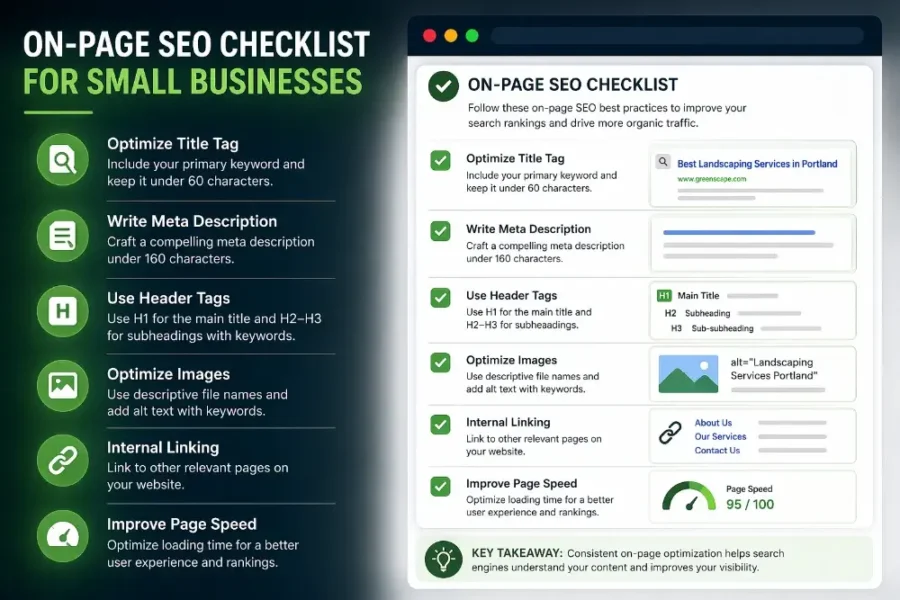
Most small business websites don’t struggle with SEO because they’re doing it wrong. They struggle because they’re skipping the basics entirely.
Title tags left as “Home.” Service pages with three sentences of content. No internal links connecting anything. These aren’t advanced problems. They’re on-page fundamentals — and fixing them is often the fastest path to better rankings.
On-page SEO is the work you do directly on your website to help search engines understand your pages and rank them for the right searches. Unlike link building or PR, you control every piece of it. No outreach required. No waiting for someone else to act.
For small businesses, that’s a major advantage. You don’t need a big budget or a dedicated marketing team. You need a clear checklist and the discipline to work through it.
Here’s the one we recommend.
Start with your keyword foundation
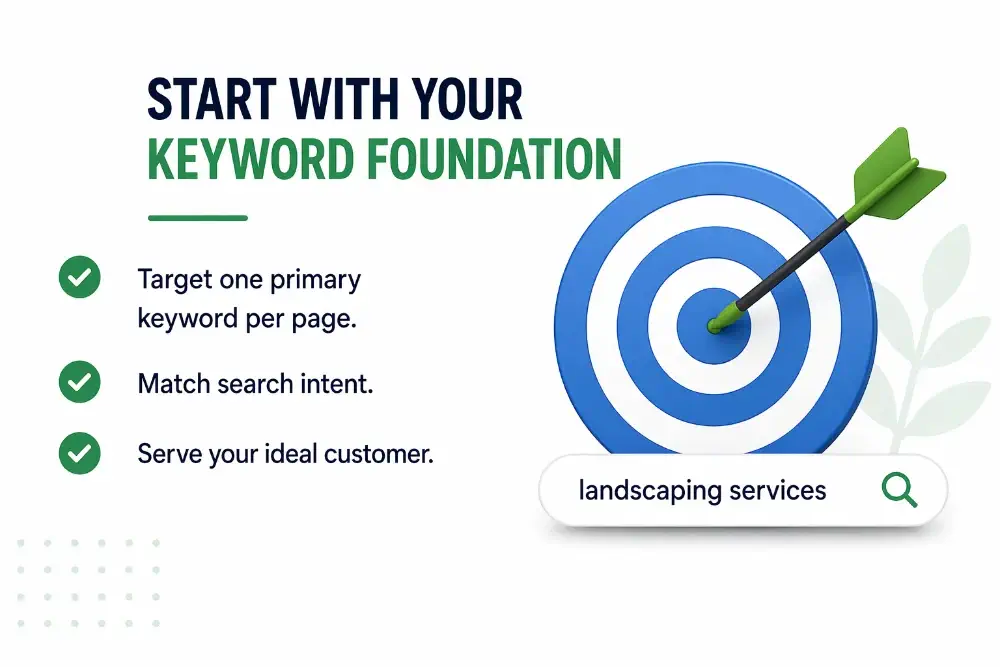
Every page on your site should target one primary keyword. Not three. Not seven. One.
This sounds obvious, but most small business websites either target nothing specific or try to rank for everything on a single page. Both approaches fail. Search engines need clarity, and so do your visitors.
Choose a keyword that reflects what the page is actually about and matches what your ideal customer would type into Google. A landscaping company’s service page shouldn’t target “landscaping” — it should target something like “residential landscaping services in Portland.”
Before you optimize anything else, confirm that your keyword matches the search intent behind the query. If someone searches “how to fix a leaky faucet,” they want instructions — not a sales pitch for plumbing services. If the intent doesn’t match your page type, the keyword isn’t right for that page.
Optimize your title tag
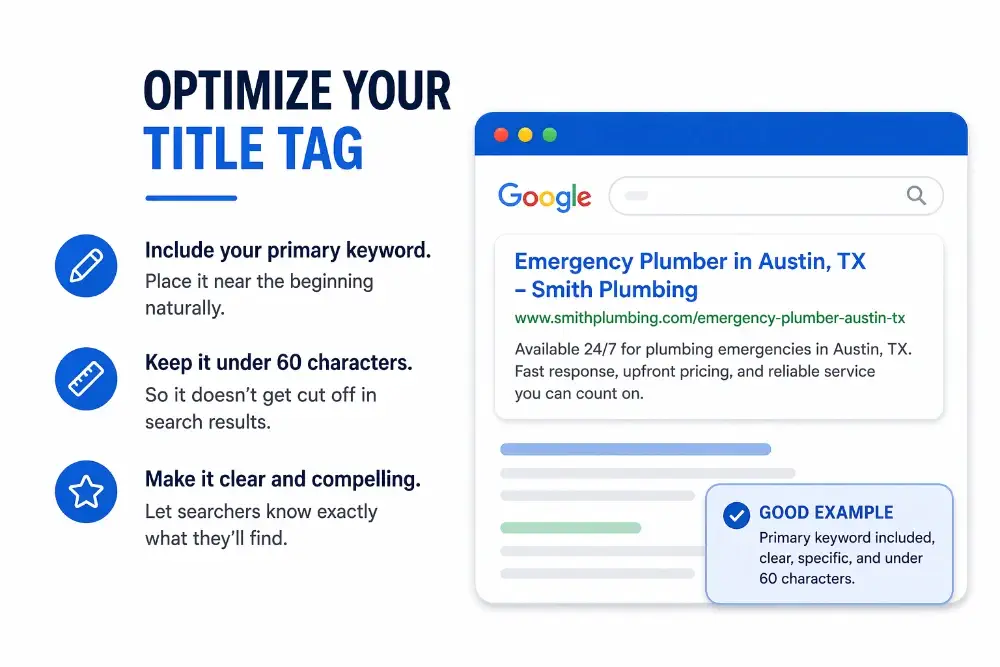
The title tag is one of the strongest on-page ranking signals you have. It tells Google what your page is about and often determines whether someone clicks your result or scrolls past it.
Write your title tag with the primary keyword included naturally, ideally near the beginning. Keep it under 60 characters so it doesn’t get cut off in search results. Make it specific enough that a searcher knows exactly what they’ll find.
A title like “Home | Smith Plumbing” wastes one of your best ranking opportunities. Something like “Emergency Plumber in Austin, TX — Smith Plumbing” does the work the title tag is supposed to do.
Write a meta description that earns the click
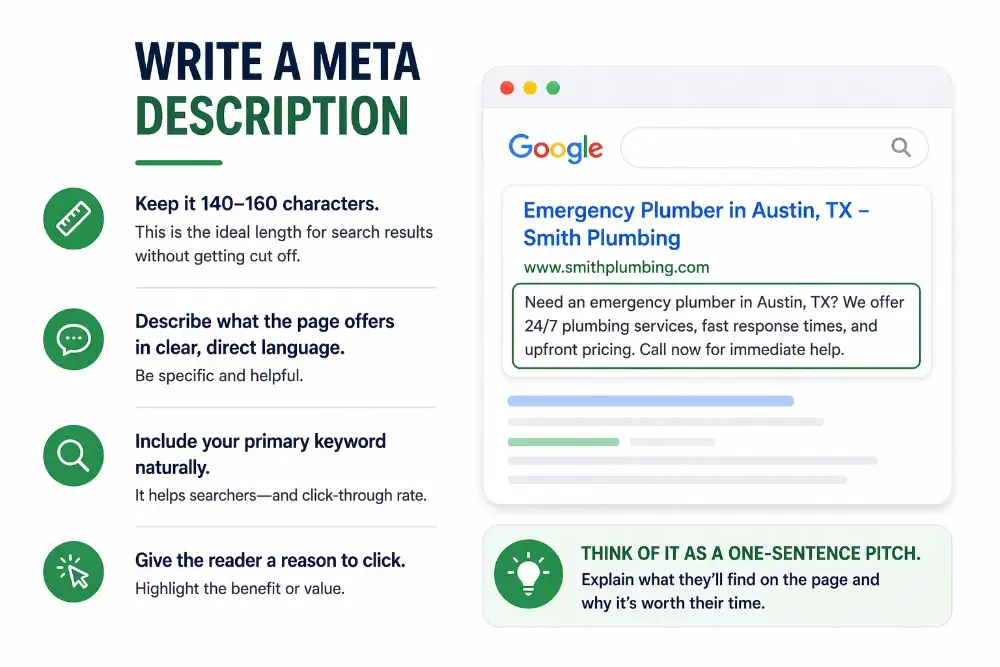
Meta descriptions don’t directly affect rankings, but they influence click-through rate — and that matters. A well-written meta description can be the reason someone clicks your listing over a competitor’s.
Keep it between 140 and 160 characters. Describe what the page offers in clear, direct language. Include your primary keyword naturally, and give the reader a reason to click. Avoid repeating your title tag word for word.
Think of the meta description as a one-sentence pitch for the page. If you were explaining to a potential customer what they’d find and why it’s worth their time, that’s the tone to aim for.
Structure your headings properly
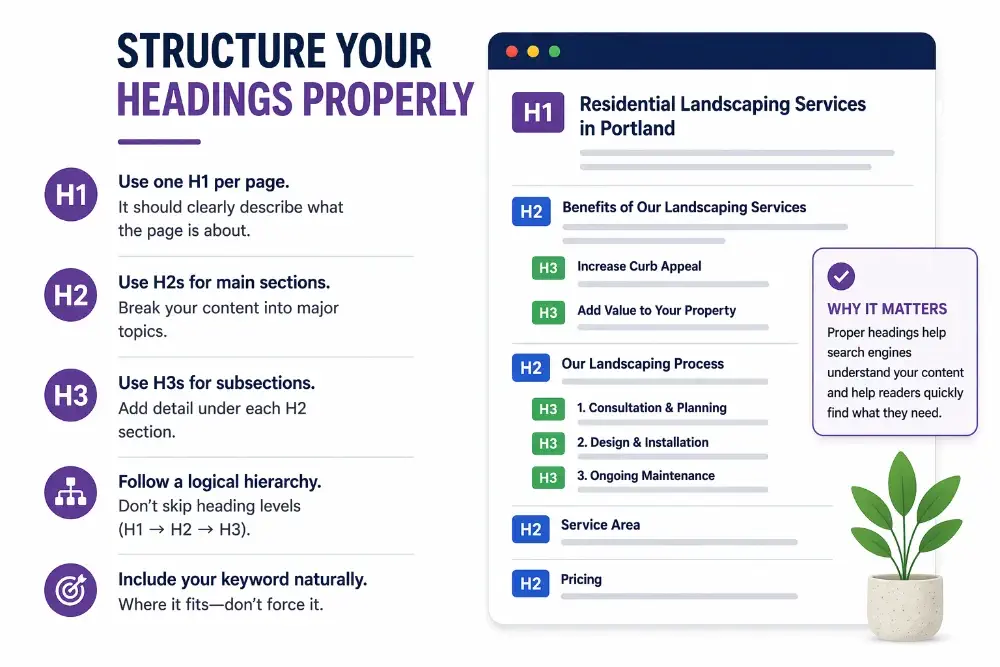
Headings create the structural hierarchy of your page. They help search engines understand how your content is organized and help readers scan for the sections that matter to them.
Use one H1 per page. This is your main heading, and it should clearly describe what the page covers. Use H2s to break your content into major sections, and H3s for subsections within those.
Include your primary keyword or close variations in your headings where they fit naturally. Don’t force them. And don’t skip heading levels — jumping from an H1 to an H3 breaks the logical hierarchy that both Google and screen readers rely on.
For a small business service page, your heading structure might look like: H1 for the service name, H2s for benefits, process, service area, and pricing, and H3s for specific details within each section.
Clean up your URLs
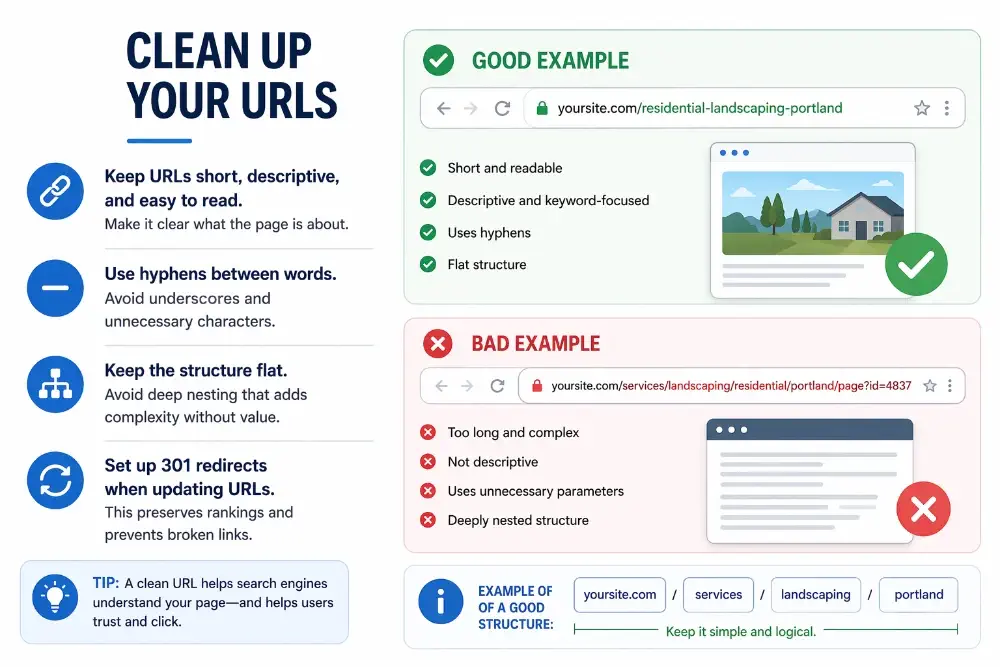
Your URL structure should be short, descriptive, and easy to read. A URL like yoursite.com/residential-landscaping-portland communicates the page topic to both search engines and users. A URL like yoursite.com/page?id=4837 communicates nothing.
Use hyphens between words. Remove unnecessary stop words. Keep the structure flat — deep nesting like /services/landscaping/residential/portland/ adds complexity without adding value.
If you’re updating existing URLs, make sure to set up 301 redirects from the old URLs to the new ones so you don’t lose any existing rankings or break inbound links.
Place your keyword in the right spots
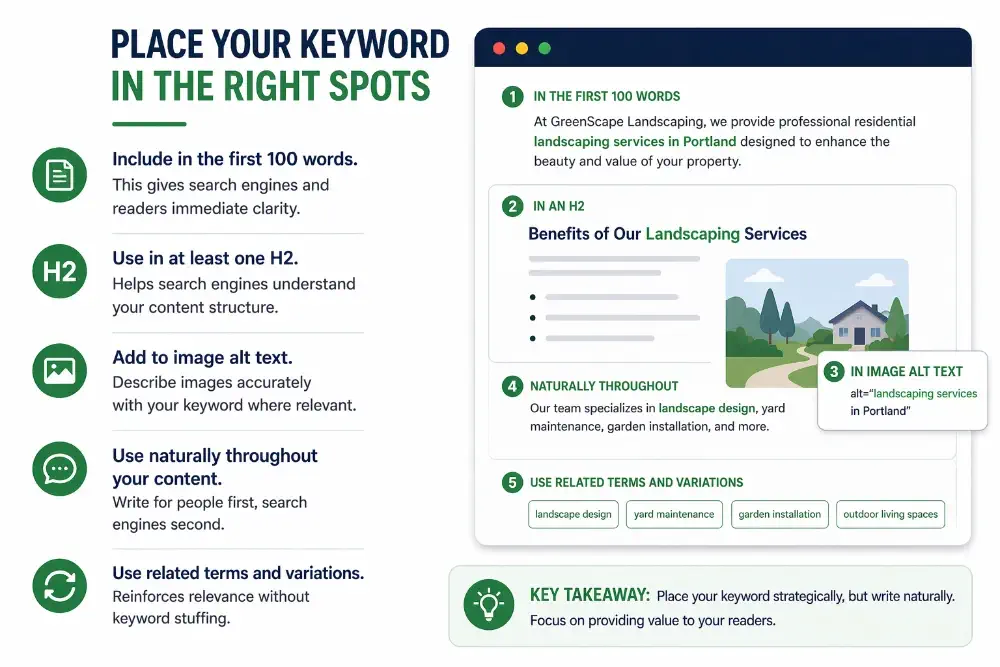
Where your keyword appears on the page matters. Include it in the first 100 words of your content so that both readers and search engines get immediate confirmation that the page matches their query.
Beyond that, use it naturally throughout the body content, in at least one H2, and in your image alt text where it’s relevant and accurate. Don’t stuff it into every sentence — that backfires. Google’s systems are sophisticated enough to recognize keyword stuffing, and readers find it annoying.
Use related terms and natural variations instead of repeating the exact phrase. If your keyword is “roof repair in Dallas,” you don’t need to use that exact string 15 times. Phrases like “fixing a damaged roof,” “Dallas roofing contractor,” and “roof restoration” all reinforce the same topical relevance.
Create content that actually deserves to rank
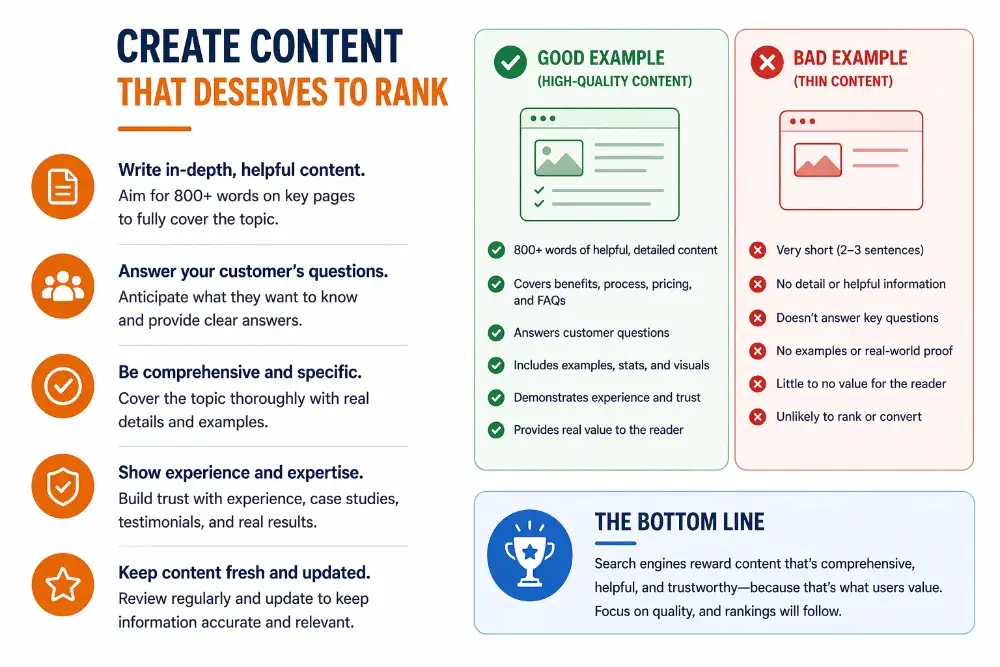
Thin content is one of the most common problems on small business websites. A service page with two sentences and a phone number doesn’t give Google enough to work with — and it doesn’t give your potential customers enough reason to trust you.
Write content that answers the questions your customers are actually asking. Explain what you do, how you do it, who it’s for, and what makes your approach different. If someone lands on your page, they should be able to understand your service and feel confident in your expertise without picking up the phone first.
This doesn’t mean writing 3,000-word essays on every page. It means writing enough to be genuinely helpful. For most service pages, that’s 300–600 words of focused, well-organized content. For blog posts targeting informational keywords, 1,000–1,500 words is a reasonable range.
Quality matters more than length. But thin, vague content almost never ranks.
Optimize your images
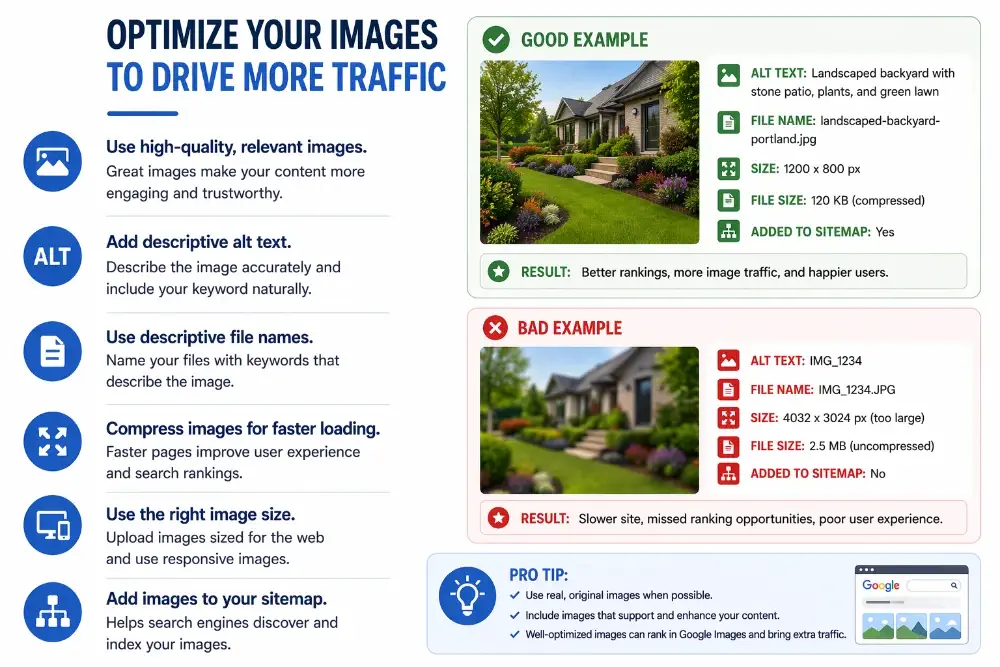
Images are easy SEO wins that most small businesses overlook entirely. Every image on your site has an alt attribute — a short text description that tells search engines (and screen readers) what the image shows.
Write alt text the way you’d describe the image to someone who can’t see it. Be specific and accurate. “Chocolate cake on a white plate at a Seattle bakery” is useful. “Cake” is not. “Best cake bakery SEO chocolate cake Seattle WA” is keyword stuffing — avoid it.
Beyond alt text, compress your images before uploading them. Oversized image files are one of the most common causes of slow page speeds on small business sites. Use modern formats like WebP when possible, and rename your files descriptively before uploading — seattle-bakery-chocolate-cake.webp is better than IMG_4291.jpg.
Build a deliberate internal linking structure
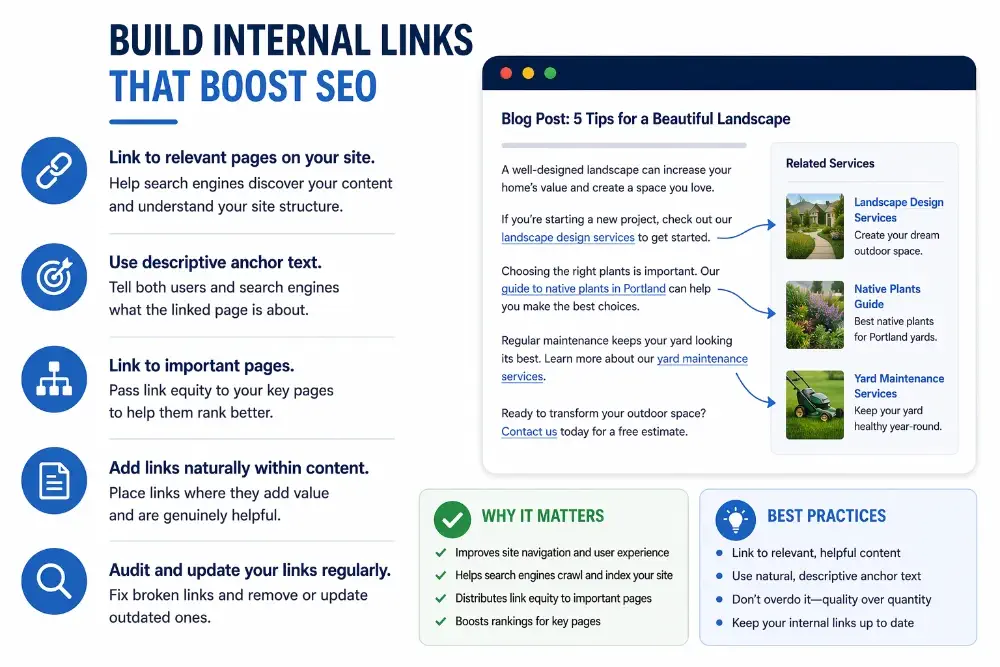
Internal links are one of the most underused on-page SEO tools. They help search engines discover your pages, understand how your content is related, and determine which pages are most important on your site.
For small businesses, the approach is straightforward. Every blog post should link to at least one relevant service page. Every service page should link to supporting content. Your most important pages — the ones you most want to rank — should receive internal links from multiple other pages across your site.
Use descriptive anchor text that reflects the topic of the page you’re linking to. “Learn more about on-page SEO services” tells Google and users what to expect. “Click here” tells them nothing.
If you’ve published content on related topics — like a post explaining what domain authority is — link to it where it’s contextually relevant. These connections strengthen your site’s topical authority and help visitors find more of your content.
Improve page speed and Core Web Vitals
Page speed affects both rankings and user experience. Slow-loading pages increase bounce rates, reduce conversions, and signal to Google that the user experience on your site needs work.
The most common speed issues on small business sites are oversized images, too many plugins, bloated themes, and missing browser caching. Start with the basics: compress images, remove plugins you’re not using, enable caching, and consider switching to a lightweight theme if your current one is dragging performance down.
Google’s Core Web Vitals — Largest Contentful Paint, Interaction to Next Paint, and Cumulative Layout Shift — measure specific aspects of loading speed, interactivity, and visual stability. You can check your scores using Google’s PageSpeed Insights tool. You don’t need perfect scores, but you should aim to pass all three thresholds.
Make sure your site works on mobile
More than half of all web traffic comes from mobile devices. If your site doesn’t work well on a phone, you’re losing visitors and rankings.
Most modern website builders and CMS platforms use responsive design by default, which means your site should adapt to different screen sizes automatically. But “responsive by default” doesn’t mean “works perfectly on mobile.” Test your pages on an actual phone. Check that text is readable, buttons are tappable, images aren’t overflowing, and nothing requires horizontal scrolling.
Google uses mobile-first indexing, which means it primarily uses the mobile version of your site to determine rankings. If your mobile experience is broken, it doesn’t matter how good the desktop version looks.
Add schema markup
Schema markup is structured data you add to your page’s HTML to help search engines understand exactly what your content represents. For small businesses, the most impactful schema types are LocalBusiness (for your business information), FAQ (for question-based content), and Article (for blog posts).
Schema won’t directly boost your rankings, but it can earn you rich results — enhanced search listings with review stars, FAQ dropdowns, business hours, or other details that increase visibility and click-through rates.
In 2026, schema also plays a growing role in how AI-powered search systems interpret and cite your content. AI Overviews and tools like ChatGPT and Perplexity use structured data to understand the meaning behind your pages. If your content is well-marked-up and clearly organized, it’s more likely to be cited as a source in AI-generated answers.
Structure content for AI search visibility
Google’s AI Overviews are now appearing for a wide range of search queries, pulling information from multiple sources and presenting synthesized answers at the top of search results. For small businesses, this creates both a challenge and an opportunity.
To increase your chances of being cited in AI-generated results, structure your content so it’s easy for AI systems to extract and reference. Use clear topic sentences at the start of each section. Answer questions directly before expanding with detail. Keep your language specific, factual, and well-organized.
This doesn’t require a separate strategy. It’s an extension of good on-page SEO. Content that’s clearly structured for humans is also easier for AI to parse. The pages that earn citations tend to be the same ones that are well-organized, authoritative, and genuinely useful.
Common mistakes to avoid
Even after working through this checklist, a few common pitfalls can undermine your efforts.
Targeting too many keywords on one page. Each page should have a clear focus. If you try to rank for five different keywords on the same page, you’ll dilute your relevance for all of them.
Ignoring existing content. On-page SEO isn’t just for new pages. Go back and optimize your existing service pages, about page, and older blog posts. A technical SEO audit can help you identify which pages need the most attention.
Treating SEO as a one-time project. On-page optimization is ongoing. Search intent shifts, competitors publish new content, and Google’s algorithms evolve. Revisit your pages regularly — at minimum, every six months — to keep them accurate, relevant, and competitive.
The bottom line
On-page SEO is the foundation everything else in search builds on. Your link building, your content strategy, your local SEO — all of it depends on pages that are clearly written, properly structured, and aligned with what people are actually searching for.
The good news for small businesses is that most of your competitors aren’t doing this work. They have thin service pages, missing meta descriptions, no internal links, and images that haven’t been optimized. Working through this checklist puts you ahead of the majority of local competitors, often without spending a dollar on tools or advertising.
Start with the pages that matter most to your business — your homepage and top service pages — and work outward from there. You don’t need to do everything at once. You just need to do it right.
